Showing posts with label Blogging. Show all posts

What is a Blog and Hoe to create a Blog?

Filled under:

There are many people who still do not understand what a blog is or why is blogging so much expanding in the cyberspace. I feel all these people deserve the right to know what a Blog is and how can a Blog be created along with some other similar questions. So for those who just heard of a Blog from their friends, media or any other source, here is a short and precise illustrative tutorial to help you find answers to four important questions in most people’s mind.

Which are,


Now here comes some useful answers for each demanded question

What is a Blog?
A blog is nothing but an Online Notebook Diary. What do we write in a notebook diary? Of course stuff that we like and things that we feel important to be recorded and shared with our friends and family. A notebook diary can be based on any topic that you like for example you can write on your hobbies, activities, poems, songs, tutorials, pets, home and family, your personal thoughts etc. People will read your Online Notebook Diary on daily basis and will leave you a comment, suggestion or feedback.

If you write about your personal experiences in a notebook made up of papers, then your writings will reach only limited people around you but with an online diary like a Blog you speak to the world!

So in short a blog is your Personal website where you write and share things you like with millions of people out there who are eager to read what is cooking in your mind!

How do I create a Blog?
Creating a blog is absolutely free. There are many quality Blogging hosting services that you can choose to create a blog but the best among them is Blogger. I have created this blog with Blogger without even paying a penny! Want to know how? See Videos on Youtube


What is the advantage of blogging?
You pay nothing Instead you Earn in $ !! You earn by displaying advertisements on your Blog. People are earning from $100 to $100,000 monthly! I am not kidding an example is shoemoney.com and problogger.net

Plus you will make new friends in the Blogosphere and you earn respect in the eyes of thousands of people. You can become a celebrity! But all this with a little hard work and great patience.

And the best advantage which I have experienced is that you learn every second online! Your internet and computer skills will improve to an extreme edge and this is what the coming era demands from you. Every second on blogging is undoubtedly a new experience! I have learnt HMTL, CSS, XML and a bit of JavaScript without taking any classes. I learnt them all within a year of my blogging career and today I am able to design a quality blogger template in less than three hours MashAllah!

What is Blogger or Wordpress?

These are the major blogging platforms which help you create a free Blog. But if you are confused which one to start with then go for Blogger. It has many features which wordpress doesn’t have and the best part is that Blogger allows you to customize your template in any way you like by editing the CSS style sheet! So what are you looking? Start blogging now and build up a new cyber life. Best of luck!

Posted By Zee10:35

Twitter Follower Box | Twitter Fan Box

Filled under: ,

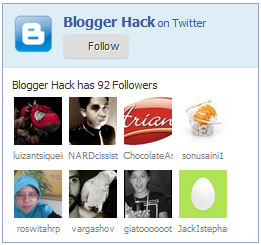
Twitter Follower Box is a nice blogger widget. Many blogger have been waiting for this great widget, that allows your visitors to follow you via twitter account without leaving your site. It's called Twitter Follower Box or Twitter Fan Box. It works like and is closely based on the Facebook fan/Like box blogger widget. The code for this Fan box is created by Muhammad Zeeshan

1. Go To Blogger > Design
2. Select HTML/JavaScript widget
3. Paste the code below inside it

<!-- Twitter Follower Box -->
<script type='text/javascript'>
function fanbox_init(screen_name){document.getElementById('twitterfanbox').innerHTML='\<iframe name=\"fbfanIFrame_0\" frameborder=\"0\" allowtransparency=\"true\" src=\"http://s.moopz.com/connect.html?user='+screen_name+'\" class=\"FB_SERVER_IFRAME\" scrolling=\"no\" style=\"width: 250px; height: 250px; border-top-style: none; border-right-style: none; border-bottom-style: none; border-left-style: none; border-width: initial; border-color: initial; \"\>\<\/iframe\>';}
</script>
<div id="twitterfanbox"></div><script
type="text/javascript">fanbox_init("MyPakBlogger");</script
type="text>
<!-- End Twitter Follower Box -->


4. Replace MyPakBlogger with your twitter username
5. Save and you are done!

The widget will looks like image bellow.

Twitter Follower Box | Twitter Fan Box

Posted By Zee09:57

Hi-Tech Technology Blogger Template

Hi-Tech Technology Blogger Template

Demo      Download

Features of Hi-Tech Technology Blogger Template:
Some list of Major Features
Seo Friendly ( Very quite CSS Code)
No Java Code used (It make reduce blog speed)
2 Column Beautiful Layout
250 * 250 Size Featured Image Asign on Home Page Post.
Good Fonts Used

More Features: SEO Friendly, WordPress Look, 2 Columns, Technology Style, Static Home page, Fixed Width, Blue and White color Scheme, threaded commenting system, 4 columns footer and much more.

Posted By Zee02:28

5 THINGS AFTER CREATE BLOGSPOT BLOG

Filled under:

5 THINGS AFTER CREATE BLOGSPOT BLOG

1- WRITE 5 POSTS
Launched with at least 3-5 at the beginning. Try to vary the posts. So you will have a post with image, a post with few hyper links, a post using read more or jump link function, a post with block-quotes, and etc.

2- REPLACE YOUR DEFAULT TEMPLATE
Instead of using Blogger’s ready to use templates, start with finding some free good-looking templates. There are some amazing designs, even though some of them are used on a lot of sites.

3- TEST WITH DIFFERENT BROWSERS
You do not know which browser used by your readers. Some of the templates you will find are not compatible with certain browsers. View your blog in different browsers like IE, Firefox, Opera and Chrome.

4- MOVE YOUR TEMPLATE IMAGES AND SCRIPTS TO A NEW PLACE
Your original template is linked to other hosting services to accommodate most all the images and script files. Put them all to a new place means you are handling it by yourself.

5- CHECK YOUR TEXT FORMAT
You want people to be able to comfortably read your contents. You should use readable size for your text (12-15px). Don't use extra or super small size because it's not worth for netbook owner.

Like Also:

Get FreeTwitter YouTube Facebook Followers


Posted By Zee02:20

10 Free Proven Ways of Increasing Blog Traffic

Filled under:


Making a blogger blog is a quite simple way but what is difficult at this moment is to attract the traffic toward your blogger blog since there is a high competition among the blogs. However, I’m going to easy the process of blog marketing with the explanation of 10 simple yet effective ways. Before I start explaining these ways, I would like to tell you that I have tried all these methods for the promotion for my own locksmith blog and trust me I find positive change in the visitors after trying all these ways and tricks.

1. One article a day, Enjoy customer’s Long stay
If you want to attract the attention of customer toward your blogger blog then you
must update it on daily basis. I often observe that people don’t keep
their blogs alive and therefore, they are unable to enjoy constant traffic.
One important thing to note at this point, you should update your blog with
useful and quality posts. Don’t spam your blog with useless or technical
details; come with something interesting and entertaining.
2. Turn Facebook into Attractive Display
Many people create Facebook fan page but what they don’t do is to add x-factor
into it. This will be created with the help of attractive videos and images.
Get help from multimedia and create some interesting and eye-catching
images. Today, you are blessed with Smartphone that allows you to capture
and to share images instantly. Don’t need to use available images of web.
Be creative and bring some new images. This trick is quite useful since
whenever locksmiths of my company create a new key or lock, I update their
photos on the web just to gain the attention of prospective visitors.
3. Expand Circle on Google Plus
Google Plus is indeed one of those social platforms with the mean of which
you can grab the attention of thousands of visitors. You first need to
create your personal account on Google+ and then to create a business page.
In this manner, you will be able to invite all your friends and other people
at your blog page. I know that this platform has some bugs but it doesn't
mean that you don’t need to use it. It’s time to design an astonishing
page and then to invite like-minded people for review.
4. Join LinkedIn Group
Thanks to LinkedIn Group feature, you are in a position to introduce your
blog to thousands of customers in a matter of seconds. Select a technology,
health, locksmithing or your niche blog and start sharing posts there.
Comment on other posts so that they can attract toward your posts, either.
5. Forum Posting and Commenting
No doubt, you can enhance blog traffic to a great extent with the mean of
forum posting and commenting. Nevertheless, you need to use this method in a
rational manner. There is no need to spam any forum otherwise moderators
will take no time to kick you out. Comment only when you have clear idea
about the main topic. Otherwise you can start some general topics. There is
no need to become a member of all forums. You need to select only best
forums and then to update them on weekly basis (daily forum updating is not
advisable from my side).
6. Throw a Twitter Party
I’m sure that you have made twitter account but what you may not try is
Twitter Party. It’s a remarkable feature that is available for every
Twitter user. You can arrange an online event of your business via Twitter.
Arranging this event is quite simple but you need to concentrate more on its
content. Whether you are going to announce new service or new product,
it’s essential that visitors get excited from this party. In case you
don’t have any idea of this party, you can check more information on the
web.
7. Go for Social Bookmarking
There are a number of social bookmarking sites on the web, try to find a few
high PR sites and then to start bookmarking. It’s advisable to bookmark
one post per day, don’t try to spam any website. The most famous sites are
Digg, Delicious, StumbleUpon, Reddit, etc. When you become a member of these sites,
you should not only to share your posts but also to follow other people’s
posts. I have also tried this trick and believe me many members start
following my locksmith blog after this.
8. Be a Guest Blogger
Select high quality blogs related to your niche and start submitting
informative posts for quality backlinks. This method demands your time and
effort but once you do it well, you will be able to see exciting results.
Though there are a number of blogs which are accepting guest posts but you should
focus only on best one. Check Google page rank checker tool for checking pr of site.
You should also search posts of blog through search engines just to get an idea
whether search engine index them or not.
9. Blog Commenting
Choose some do-follow blogs and leave interesting comments. Again you should
try to pick the best blogs for commenting. This will help to boost your Alexa ranking and SEO.
10. Email Marketing
You should share informative posts with all email contacts. There is no need
to send emails to unknown people as you email might be marked spam by them.
In addition, provide little description and link of your website in the
status of Google talk. Your friends will definitely like to check your
website while talking to you.

Posted By Zee05:01